Watch and search
Search
Find an explanation by typing a word, even one that was only spoken in the video.
Updated on
KnowVault search looks through titles, descriptions and everything that is said in the videos, thanks to the transcripts. A word spoken at minute three is enough to find the video.
Run a search#
- Click in the Search videos, topics or instructors… bar at the top of every page.
- Type at least 2 characters: results appear as you type.
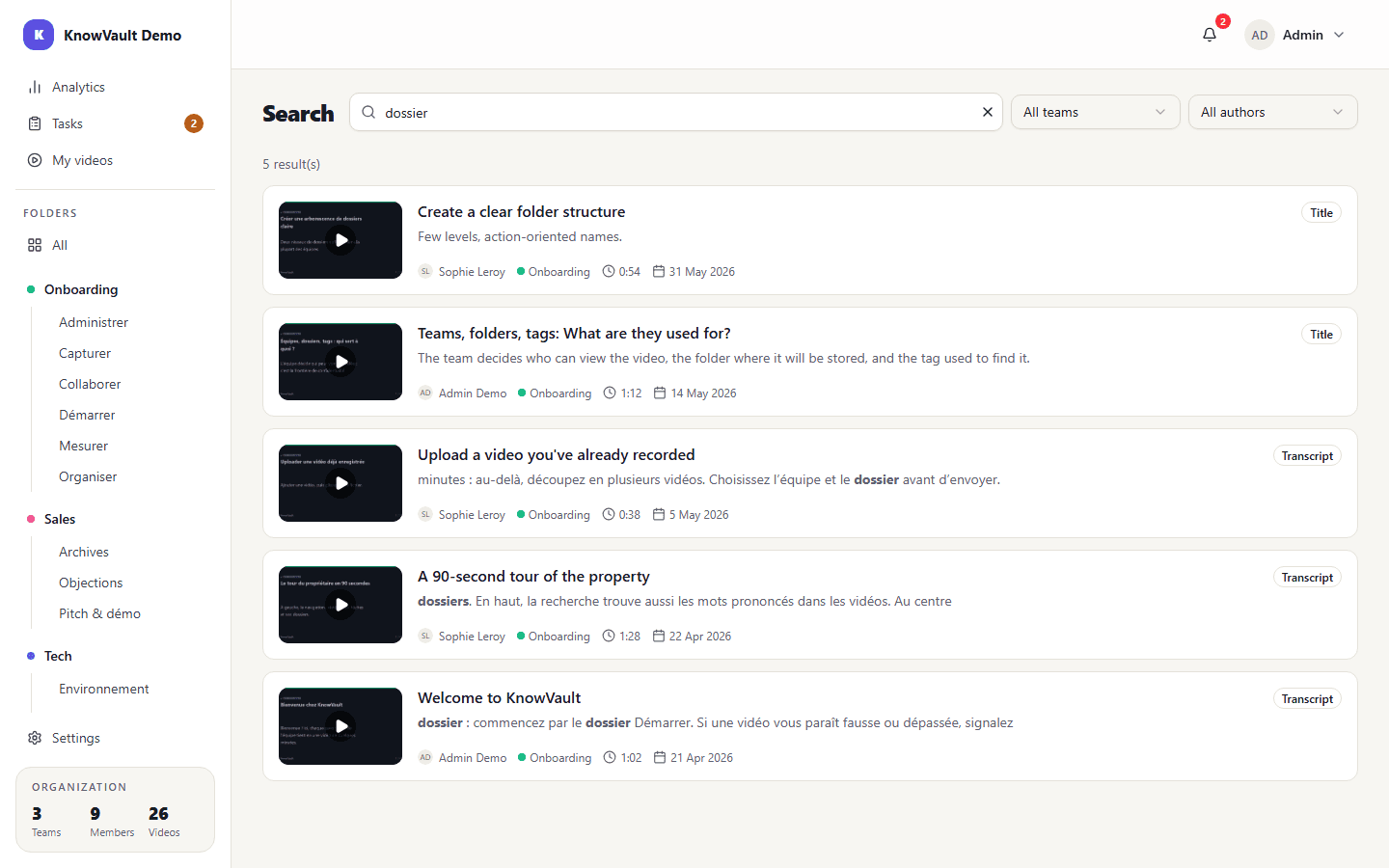
- Each result shows where the word was found: Title, Transcript or attached Document, with the matching passage highlighted.
- Click a result to open the video.
Narrow down#
Filter results by team or author with the selectors to the right of the bar. To search within a single folder, open it first from Folders in the sidebar.
Good to know#
- Accents are ignored: "procedure" also finds "procédure".
- Only published videos from the teams you have access to are shown.
- My videos also lets you browse without typing: All, Bookmarks and Recent tabs, plus Filter by tag.