Administration
Plans and billing
Starter, Pro and Enterprise: what each plan includes, how seats are billed, and where to find your invoices.
Updated on
Owners and administrators
You only pay for the people who create content. Viewers are always free and unlimited, whatever the plan.
Plans#
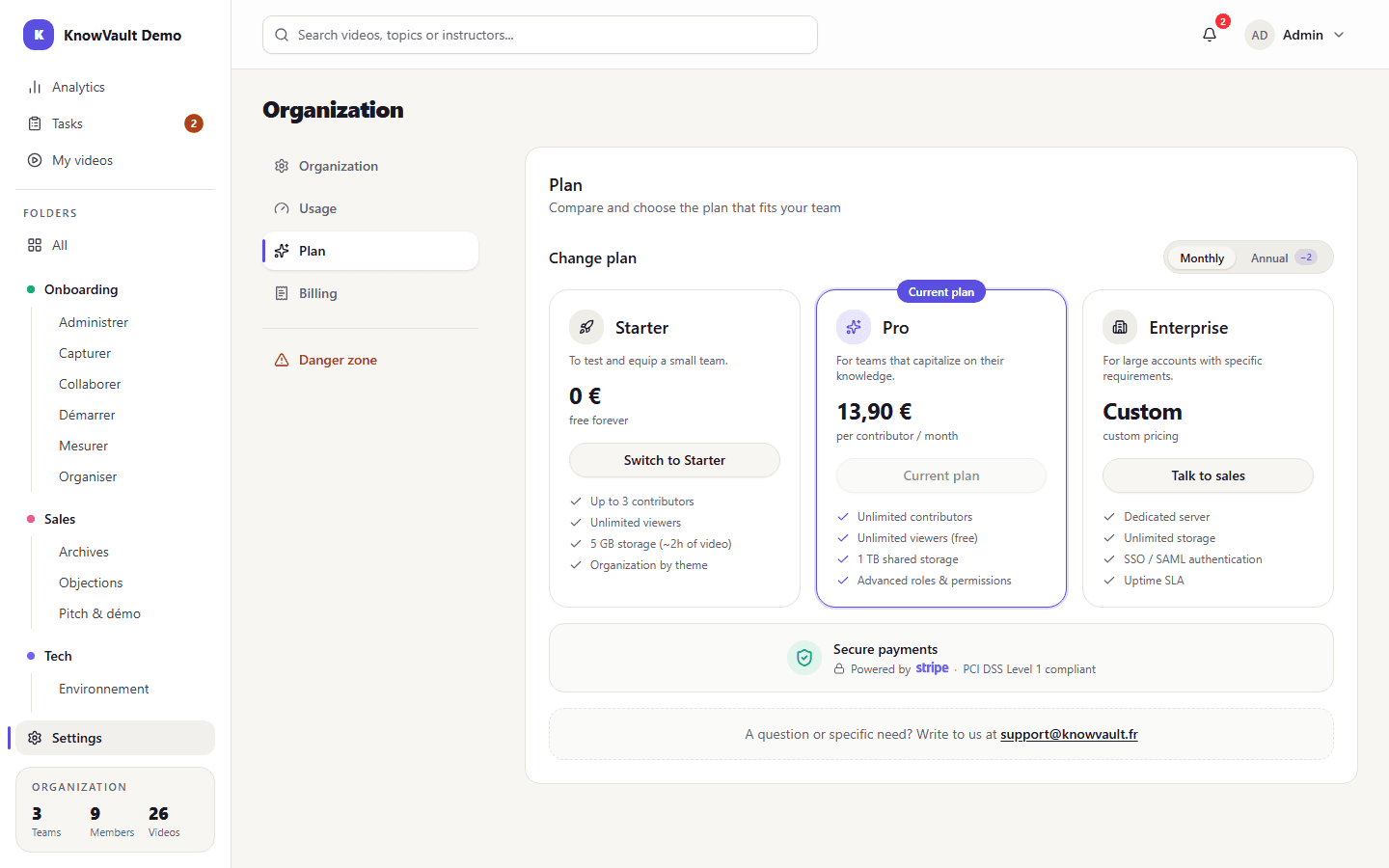
| Plan | Price (excl. VAT) | Contributors | Video storage |
|---|---|---|---|
| Starter | Free | Up to 3 | 5 GB (about 2 hours of video) |
| Pro | €13.90 per contributor per month, or €139 per year (2 months free) | Unlimited | 1 TB shared |
| Enterprise | On quote | Unlimited | Unlimited |
The Enterprise plan adds a dedicated server, SSO / SAML authentication, an availability commitment (SLA), a dedicated contact and guided onboarding. See also the Pricing page.
Track your usage#
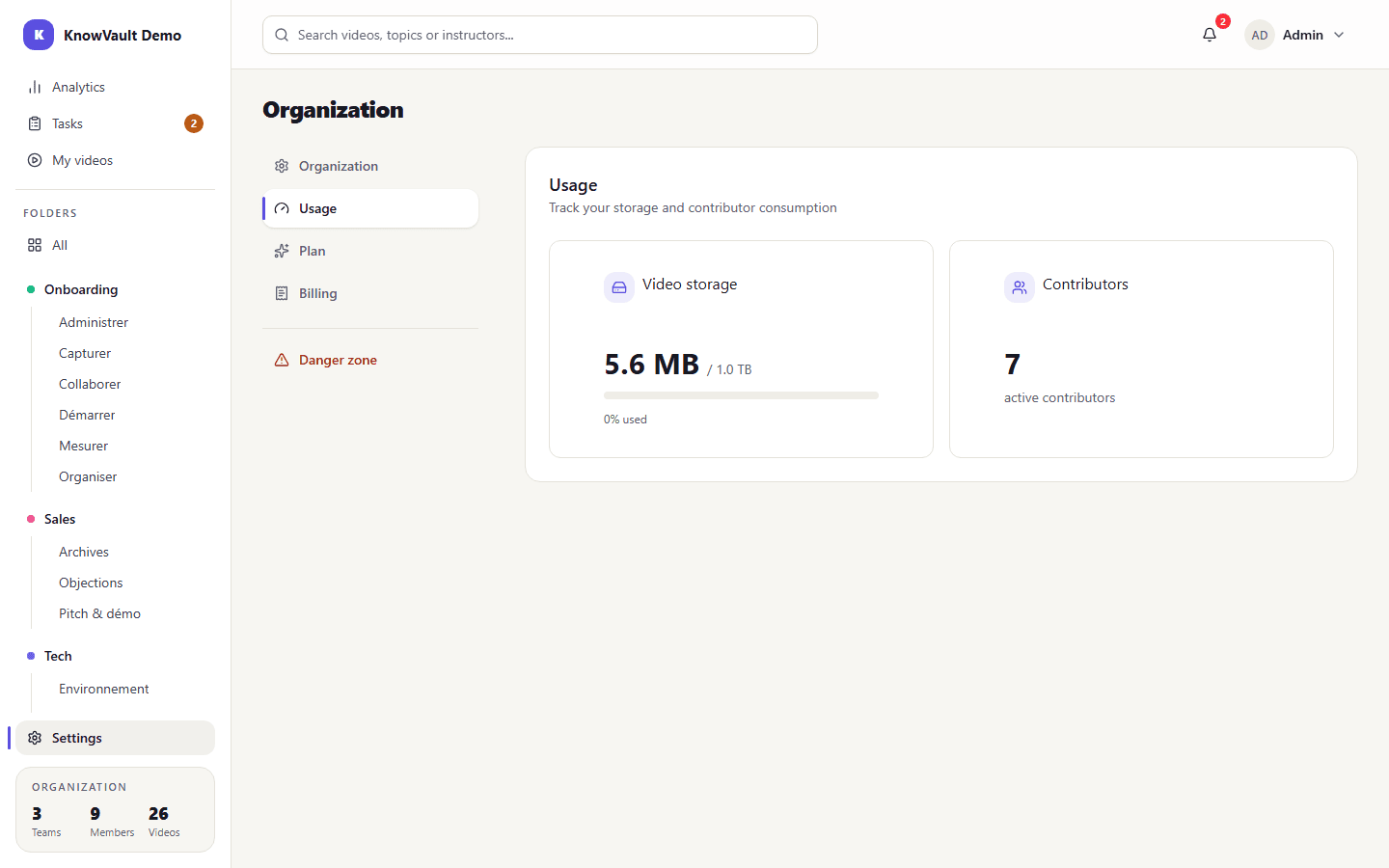
Organization then Usage shows the storage used and the number of contributors. A banner warns administrators when a limit is getting close.
Upgrade to Pro#
- Open Organization then Plan, and choose monthly or annual billing.
- Click Upgrade to Pro: payment happens on Stripe's secure page. Your EU VAT number is accepted.
- The Pro plan is active as soon as the payment is confirmed.
How seats are billed#
The subscription follows the number of contributors. Adding a contributor adds a seat, removing one removes a seat; the difference is prorated over the remaining time.
| Billing | When the proration is billed |
|---|---|
| Monthly | On the next month's invoice |
| Annual | Seats added during the month are grouped on one invoice on the 1st of the following month |
A message confirms the impact on your invoice each time you add or remove someone.
Invoices and subscription#
Organization then Billing shows the active plan, the renewal date and your last 24 invoices as PDFs. Manage subscription opens the Stripe portal to change your payment method, switch from monthly to annual, or cancel.
If a payment fails
Stripe retries for a few days without cutting off the plan. If the retries fail, the organization drops back to the Starter plan until the outstanding invoice is paid.
Switch back to Starter#
This is possible if the organization fits the Starter limits: 3 contributors and 5 GB at most. KnowVault checks these conditions, then opens the portal so you can cancel. The subscription stays paid until the end of the period, with no refund.