Create content
Request content
Ask an expert to create a video, with a subject, a priority and a target date.
Updated on
Team managers and administrators
The best content answers a specific need. Rather than waiting for an expert to think of it, ask them for the video your team needs.
Create the request#
- Open Tasks in the sidebar, then click Request content.
- Choose the team, then the person to assign the request to.
- Give a subject (the title of the expected video) and a description of what it should cover.
- Choose the priority: low, medium, high or urgent.
- Add a target date if needed, then send.
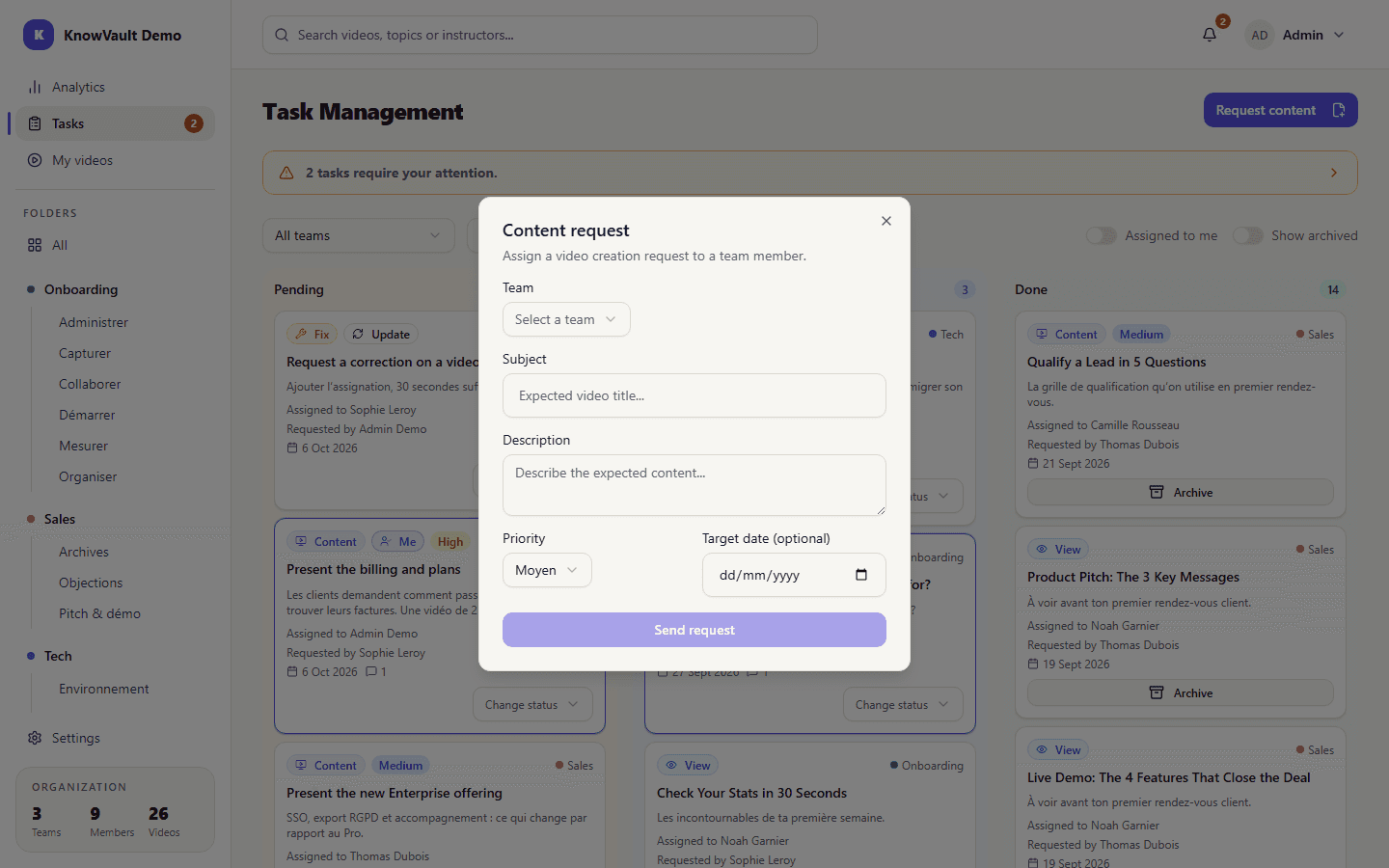
The assignee is notified and finds the request on the Tasks board, in the Pending column.
While the video is being made#
The expert accepts the task, which moves to In Progress. Each request has its own comment thread: the expert can ask questions there, and the requester can clarify what they need. You can also follow progress in My sent tasks, on the Analytics page.
Once the video is published#
The expert clicks Mark done. Completed requests are listed under Completed tasks and can be archived.
Tip
A good request fits in one question: "How do I process a partial refund in the CRM?" works better than "Video about the CRM".