Create content
Upload a video
Add an existing video (MP4, WebM or MOV): KnowVault encodes, transcribes and translates it.
Updated on
Contributors, managers and administrators
You already have videos: a filmed demo, a recorded training session, a clip shot on a phone. Upload them so they become searchable like all the others.
Upload a file#
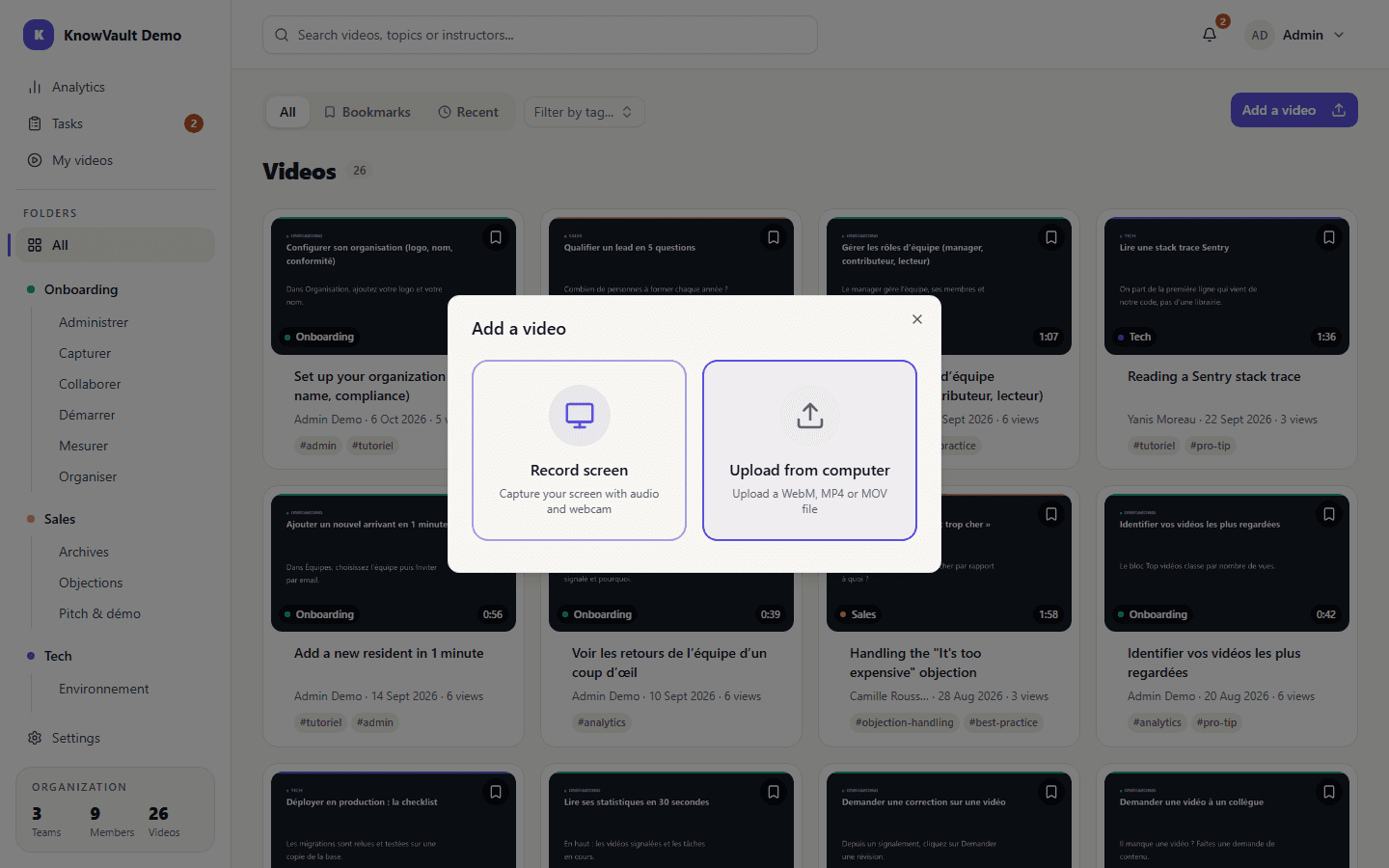
- Open My videos, click Add a video, then Upload from computer.
- Drop the file or pick it from your device. On a phone, you can also film directly.
- Fill in the title, description, team, folder and tags.
- Upload: progress is shown while the file is sent.
| Item | Limit |
|---|---|
| Formats | MP4, WebM, MOV (QuickTime) |
| Size | 2 GB per file |
| Duration | 15 minutes |
What KnowVault does next#
- encoding in several qualities (360p, 720p, and 1080p when the source allows), tuned to keep on-screen text readable;
- an automatically generated thumbnail;
- a speech transcript and subtitles;
- translation of the title, description and transcript between French and English.
You can watch a preview version while processing runs; the page updates by itself when the video is ready.
Warning
If the upload is interrupted (tab closed, network drop), KnowVault shows a banner: restart the file upload. If processing fails, the video goes to Error and can be restarted from its page.