Getting started
Organize your team: folders and tags
File each team's videos into folders and label them with tags shared across the organization.
Updated on
A good structure lets people find a video without even searching. KnowVault offers two complementary tools: folders, specific to each team, and tags, shared by the whole organization.
Folders#
Team managers and administrators
Each team has its own folder tree, up to 5 levels deep. For example, for a Support team:
- Tools
- CRM
- Phone system
- Procedures
- Refunds
- Escalations
- Open the team, then click Manage folders.
- Click New folder to create one, at the root or inside an existing folder.
- Rearrange the tree by dragging and dropping folders; rename or delete a folder from its menu.
- File a video into a folder when you create it, or later from its settings.
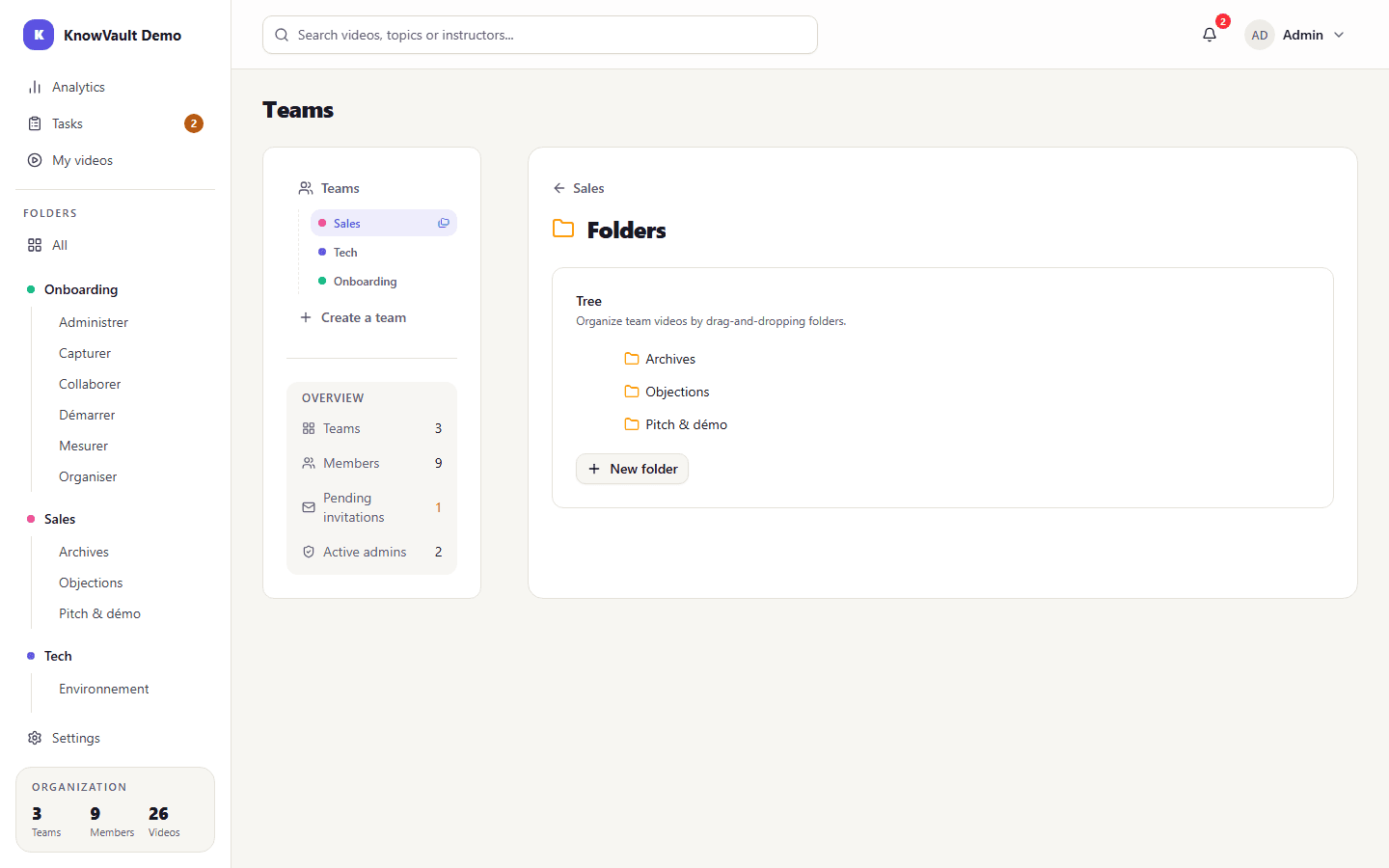
Teams and their folders then appear in the sidebar, under Folders: one click shows the videos filed inside.
Good to know
Deleting a folder doesn't delete its videos: they move back to the root of the team.
Tags#
Tags work across teams: a "New" or "CRM tool" tag serves the whole organization. Add them when editing a video, then filter the video list by tag.
Tip
Keep tags few and meaningful. About ten is often enough: beyond that, nobody knows which one to pick.